SMS Club for Uspacy
Send SMS to clients right from a deal, lead or contact card — via your SMS Club account. Templates with variables, delivery statuses and sending history — all in one place.
SMS without switching windows
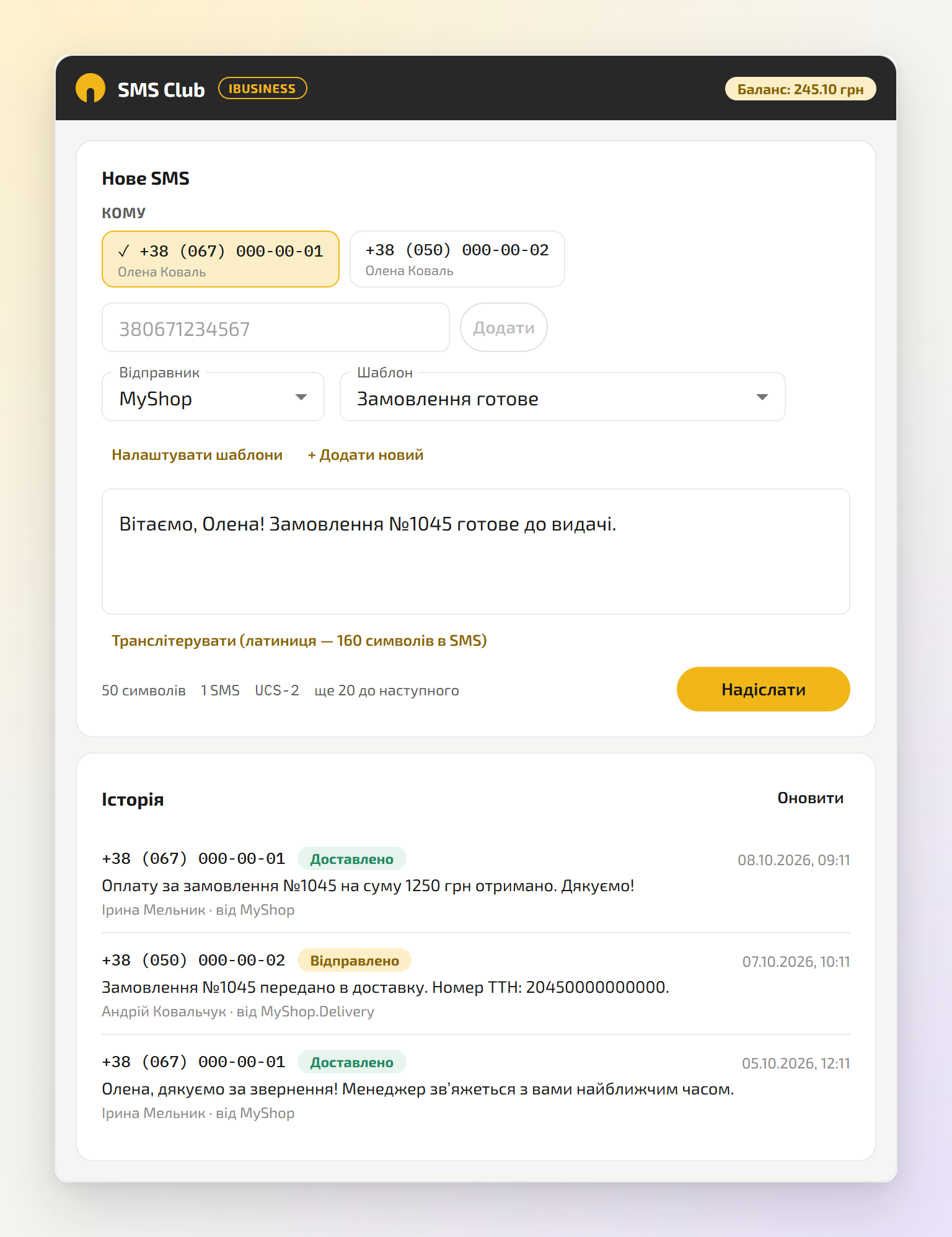
A manager opens the card, picks a number and a template — and sends the SMS. The text is filled in with the card's data, and the delivery status updates on its own.
- Works in deals, leads, contacts, companies and smart objects
- SMS are sent from your SMS Club account at its rates
- Every SMS is shown in the card's activity feed together with its status
- Only the workspace administrator can change the settings
Features
A tab in the CRM card
“SMS Club” sits next to “Note”, “Activity” and “Files” — in deals, leads, contacts, companies and smart objects.
Numbers from the card
Phone numbers of the card and its linked contacts are picked up automatically; you can also add a number manually. Up to 100 numbers at a time.
Templates with variables
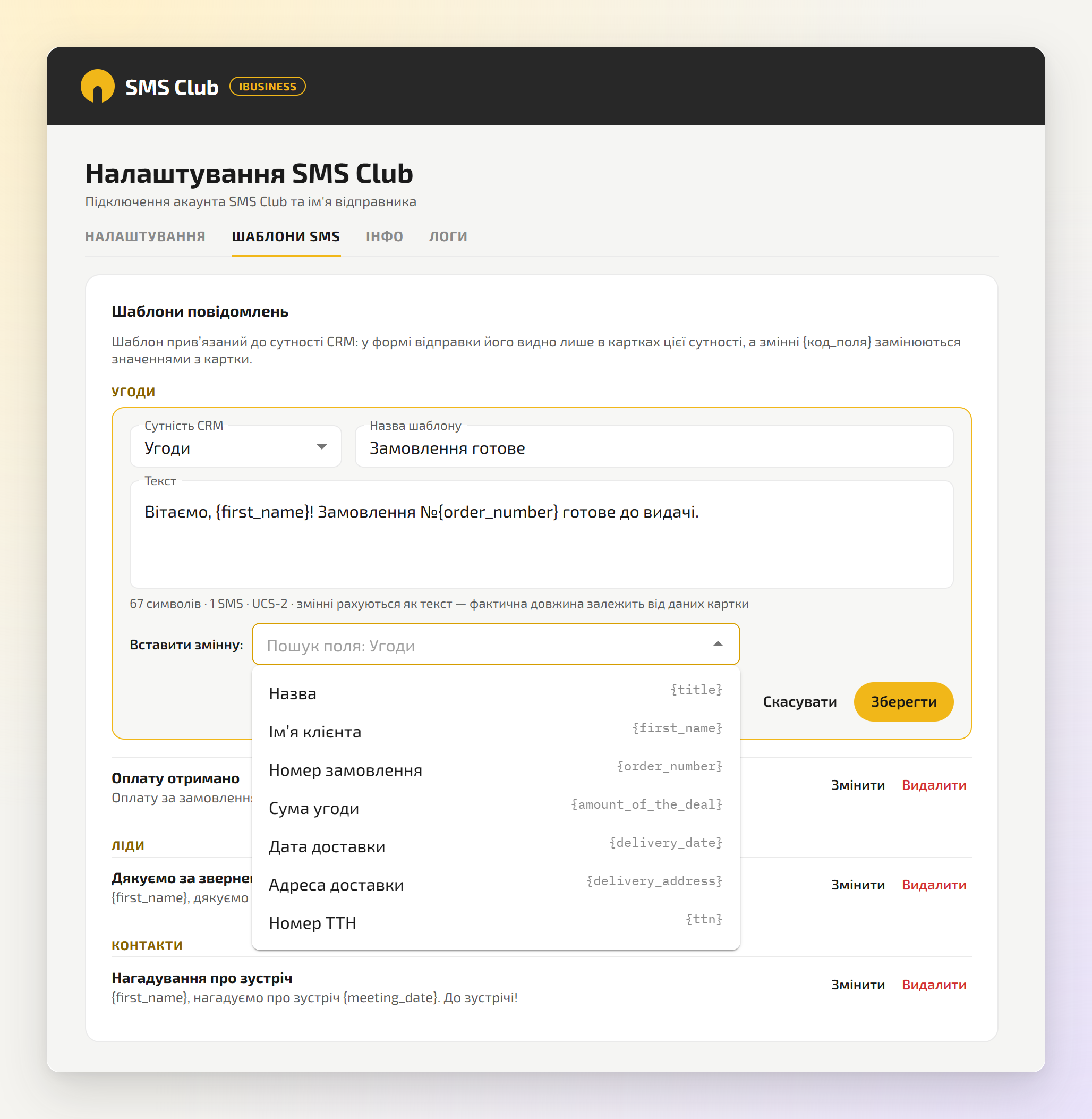
Any card field can be inserted into the text: name, order number, amount, date. Separate templates for each entity.
Counter and transliteration
You see the number of characters and SMS parts. One-click transliteration: a Latin-script SMS fits 160 characters instead of 70.
Delivery statuses
Sent, delivered or not — in the tab's history and in the card's activity feed. Statuses update automatically.
Sender names
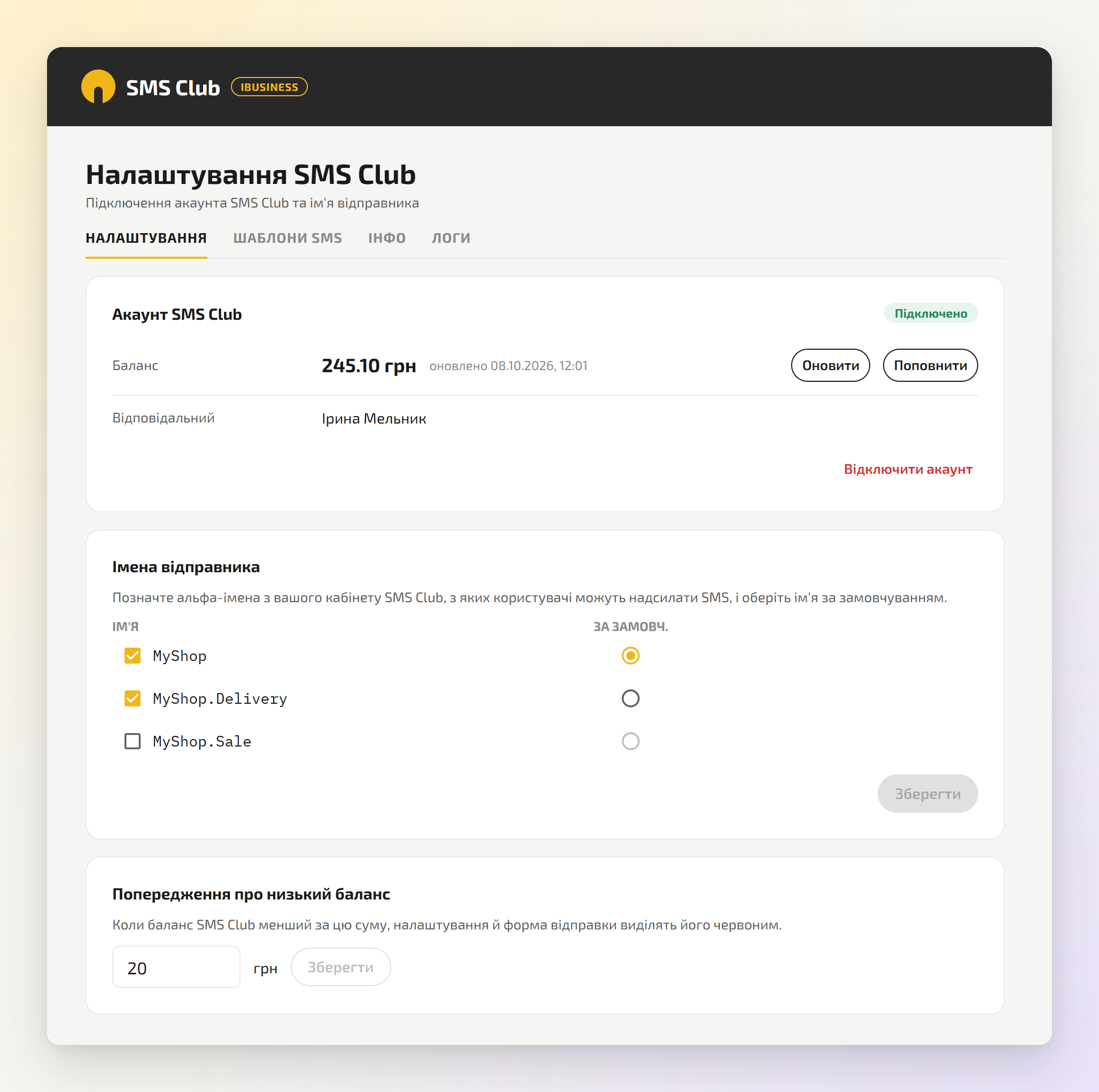
The administrator chooses which sender names (alpha names) of the account can be used, and the default one.
Balance control
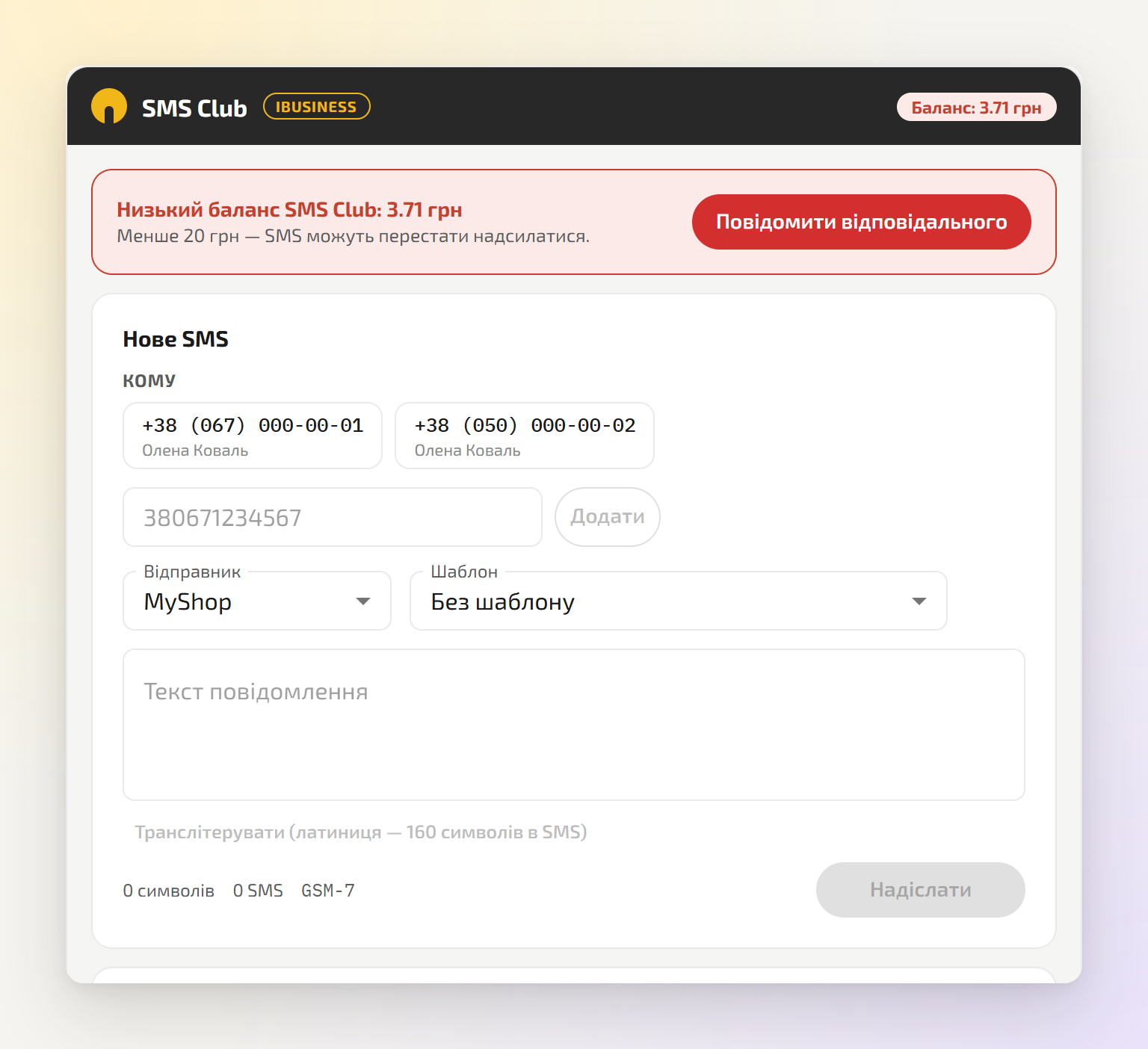
Your SMS Club balance is shown in the sending form. When it drops below the threshold — a warning and a “Notify the person responsible” button.
Security and logs
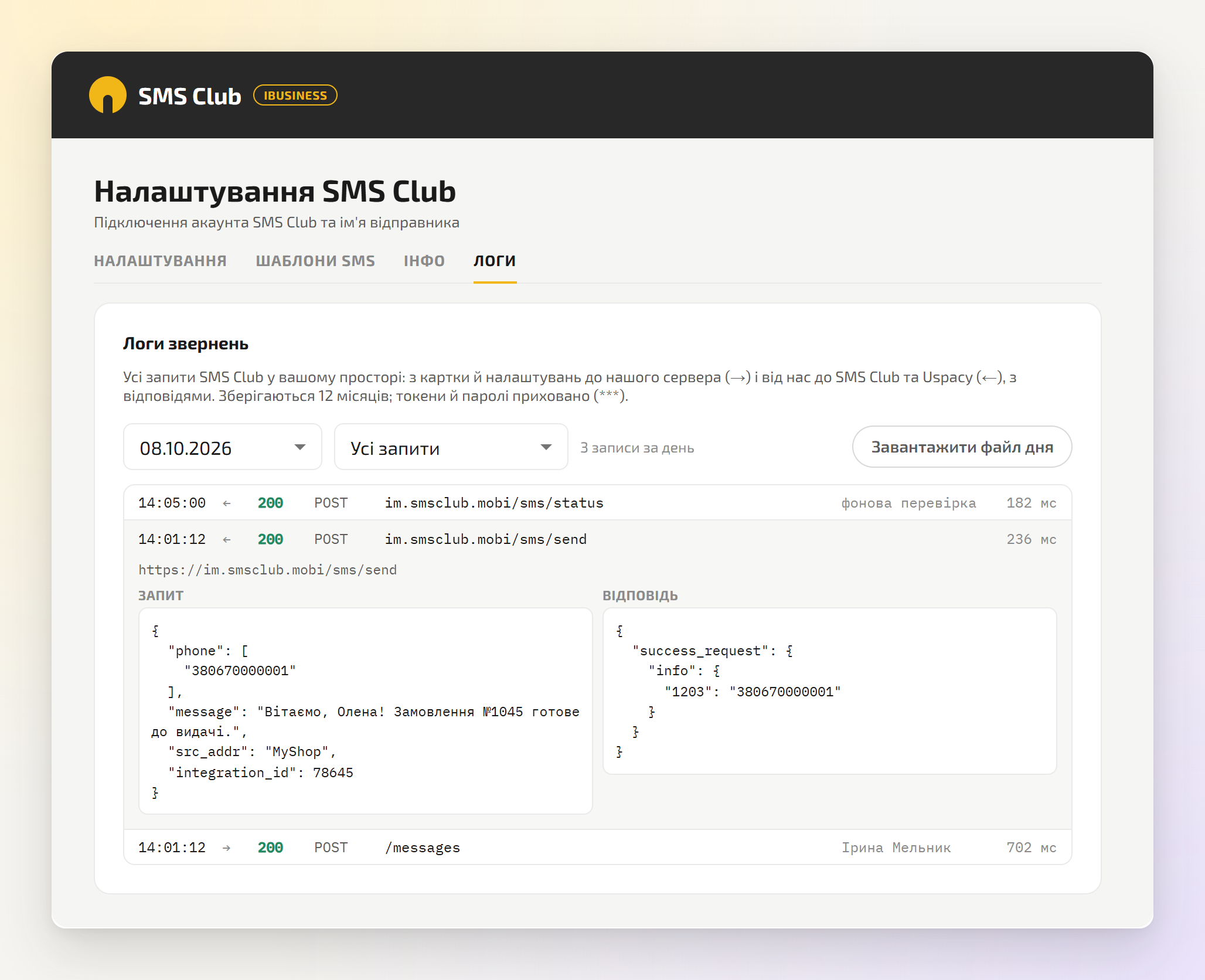
The API token is stored encrypted and never shown in the browser. The administrator sees a log of all requests.
What it looks like
The real app interface in Uspacy (shown in Ukrainian — the app is also available in English). The data in the screenshots is demo data; scroll sideways and click to enlarge.
How to connect
-
SMS Club account
Use your existing account or sign up for SMS Club. Register a sender name (alpha name) and top up your balance.
-
Install the app
In your Uspacy workspace, open the Marketplace, find “SMS Club” and click “Install”.
-
Connect the account
Marketplace → SMS Club → “Configure”: paste the API token from your SMS Club profile and select the sender names. This is done by the workspace administrator.
-
Send
Open a deal, lead or contact card → the “SMS Club” tab → pick a number and a template → “Send”.
Pricing
The app is free. SMS are paid at SMS Club rates from your account balance — we add no markup.
FAQ
Do I need an SMS Club account?
Yes. SMS are sent from your SMS Club account and paid from its balance. If you don't have an account, sign up using the link above.
Where do I get the API token?
In your SMS Club dashboard, on the Profile page. Copy it in full and paste it into the app settings.
Which numbers can I send to?
Ukrainian mobile numbers. Numbers from the card are converted to the 380XXXXXXXXX format automatically.
Is Viber supported?
For now — SMS only. We plan to add Viber messages in future versions.
Who can send SMS and change the settings?
Any user with access to the card can send SMS. Connecting the account, choosing sender names and editing templates — only the workspace administrator.
Can I send the same SMS twice in a row?
SMS Club does not accept an identical message to the same number within 2 minutes — this protects against accidental duplicates.
Why doesn't an SMS arrive right away?
SMS are delivered with a delay — usually from a few seconds to a few minutes, depending on the carrier. If you send from an SMS Club test sender name rather than your own registered alpha name, the delay may exceed 10 minutes. The “Delivered” status appears in the history and in the card as soon as the carrier confirms delivery. For fast delivery, register your own alpha name in your SMS Club dashboard.
Questions about SMS Club?
Email us at vbakay@ibiz.com.ua or write in the iBusiness support chat that appears in your workspace after installation.